Choose your tracker at a published price and see the platform before you buy
Most tracking companies ask you to call first to find out the price and what the system looks like. At FMS GPS, you can see the price of most GPS trackers and sensors in the shop, and this page shows real screenshots of the platform on a demo fleet. So you decide knowing what you will get.
Who in your company benefits from the platform?
Everyone gets their own view. Pick your role and jump to the section that serves you.
Business owner
A dashboard with your fleet status, and the operating cost of each vehicle in dollars.
Cost reports →Operations manager
Every vehicle on the map, a log of violations, and an AI assistant that answers in Arabic.
Monitoring and permissions →Dispatch planner
Put delivery orders in the shortest route, and match heavy loads with the right truck.
Planning →Maintenance manager
Maintenance schedules by kilometers and days, with alerts before service is due and before documents expire.
Maintenance and documents →Accountant
Fuel and expenses with tax, plus subscriptions and renewal dates.
Accounts and subscriptions →Customer service
Technician work orders and the call log in one system, together with customer data.
Operations →Ask about your vehicle while you look at it on the map
No need to dig through menus. Open the AI assistant inside the platform and type your question about a vehicle’s location, the distance, or the report you need, with the map in front of you. If you have permission, the assistant prepares the command for you, and it does not run until you confirm it yourself.
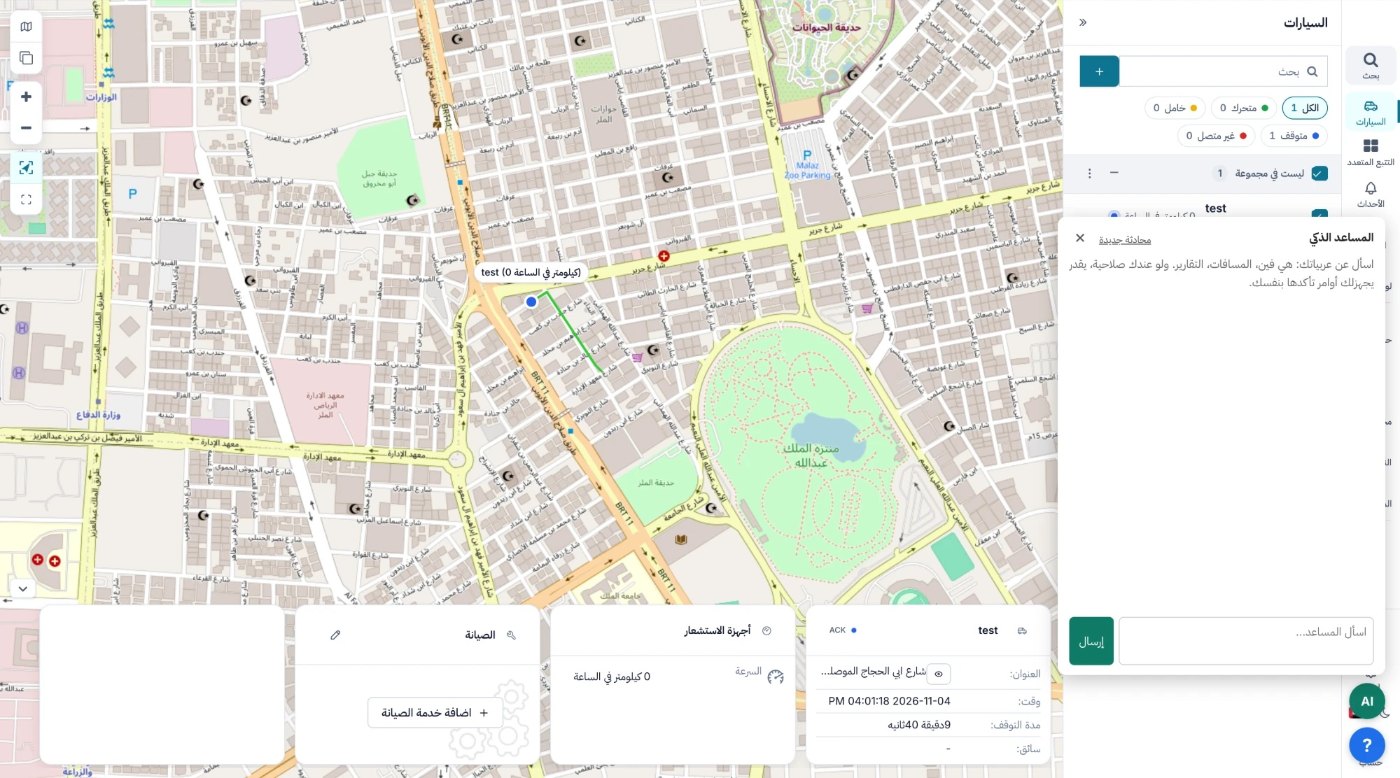 Screenshot from a demo fleet.
What will you see after the device is installed?
Real screenshots of the platform on a demo fleet.
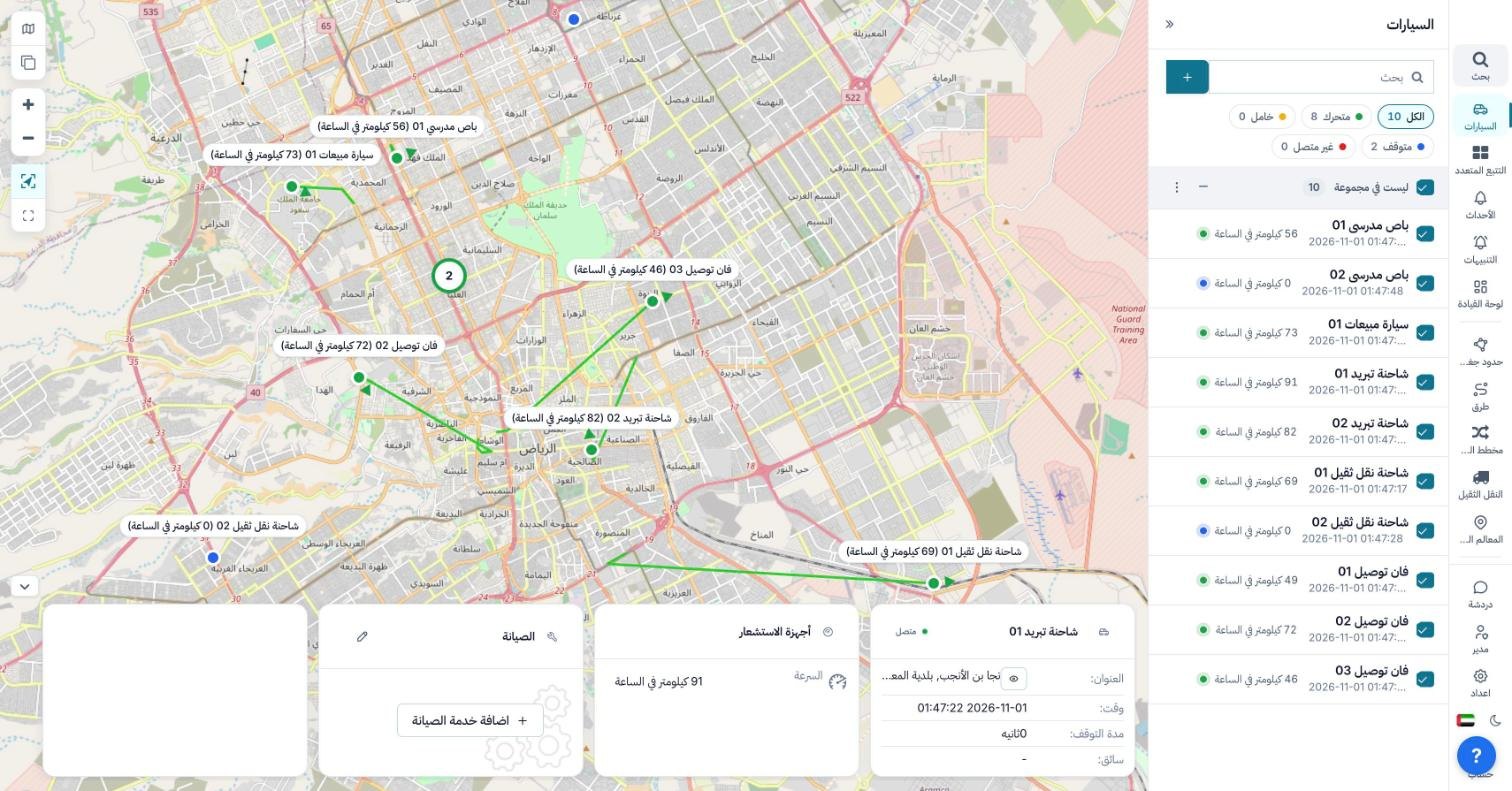
All your vehicles on one map
Each vehicle’s name, speed, and route, with a list that shows which ones are moving and which are stopped.
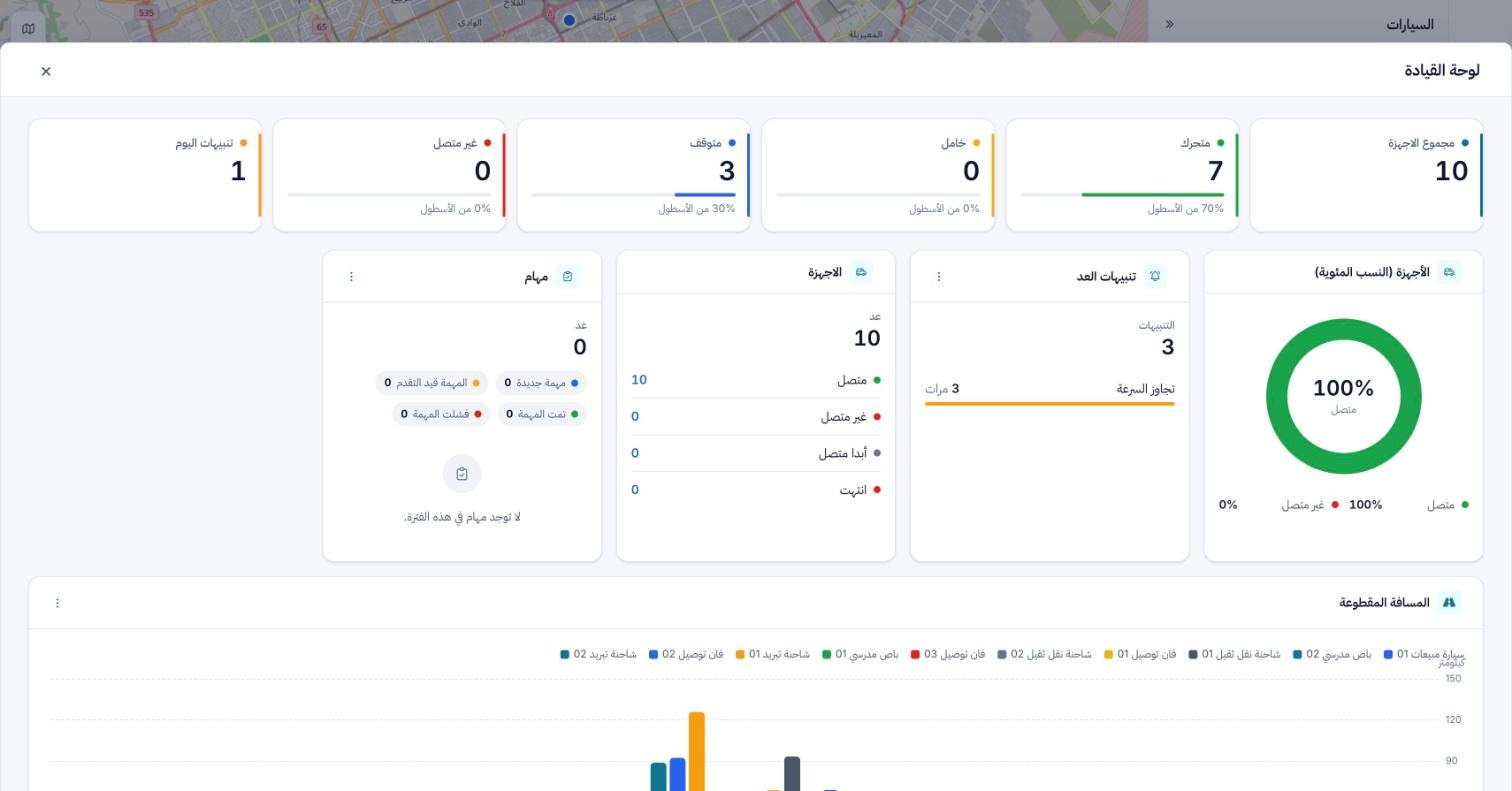
The summary on one dashboard
How many vehicles are moving, stopped, or offline, today’s alerts, and the distance driven.
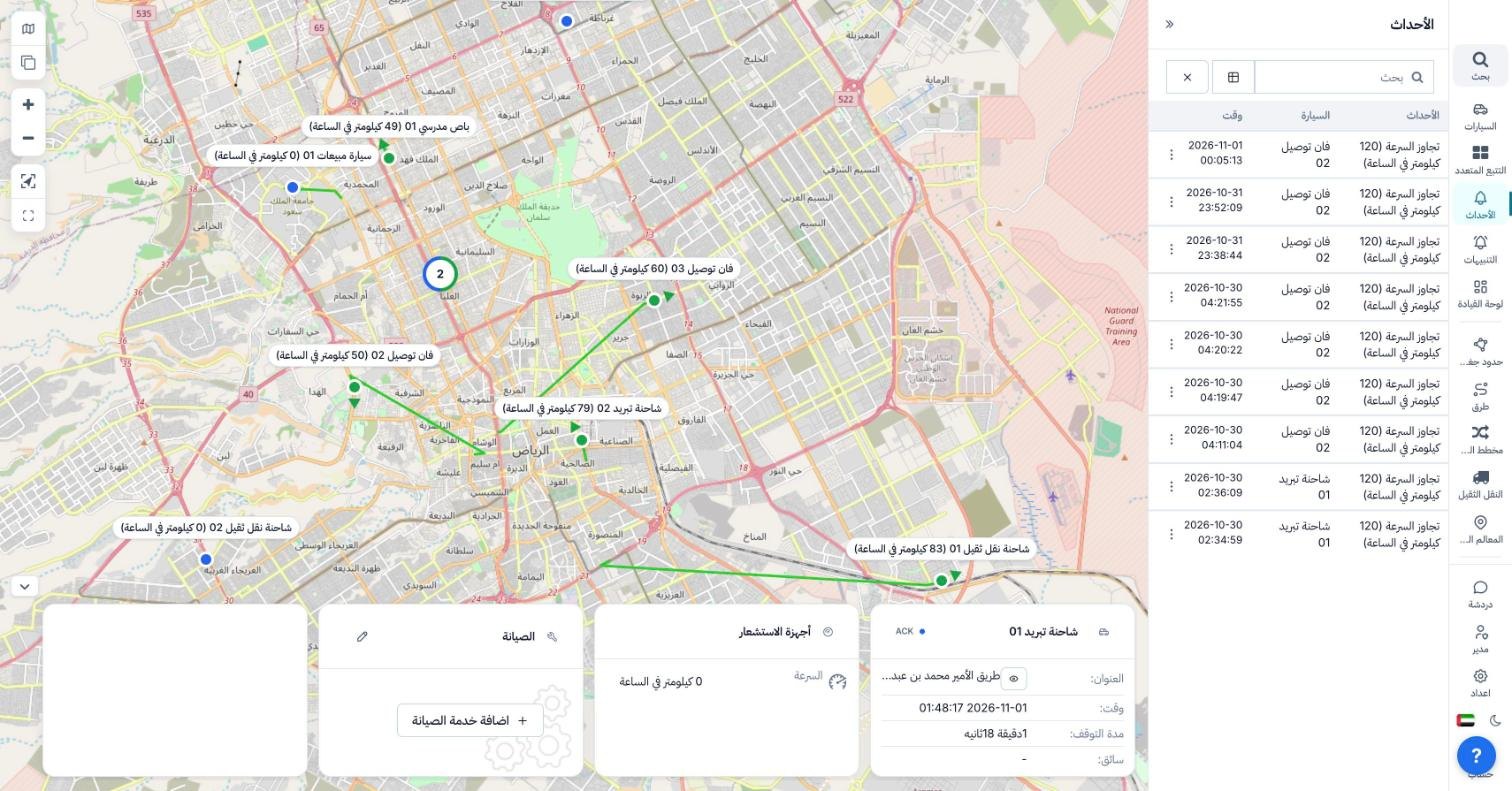
A record of every violation
Every time a vehicle goes over the speed limit you set, it is logged with the vehicle and the time, so you don’t have to rely on anyone’s word.
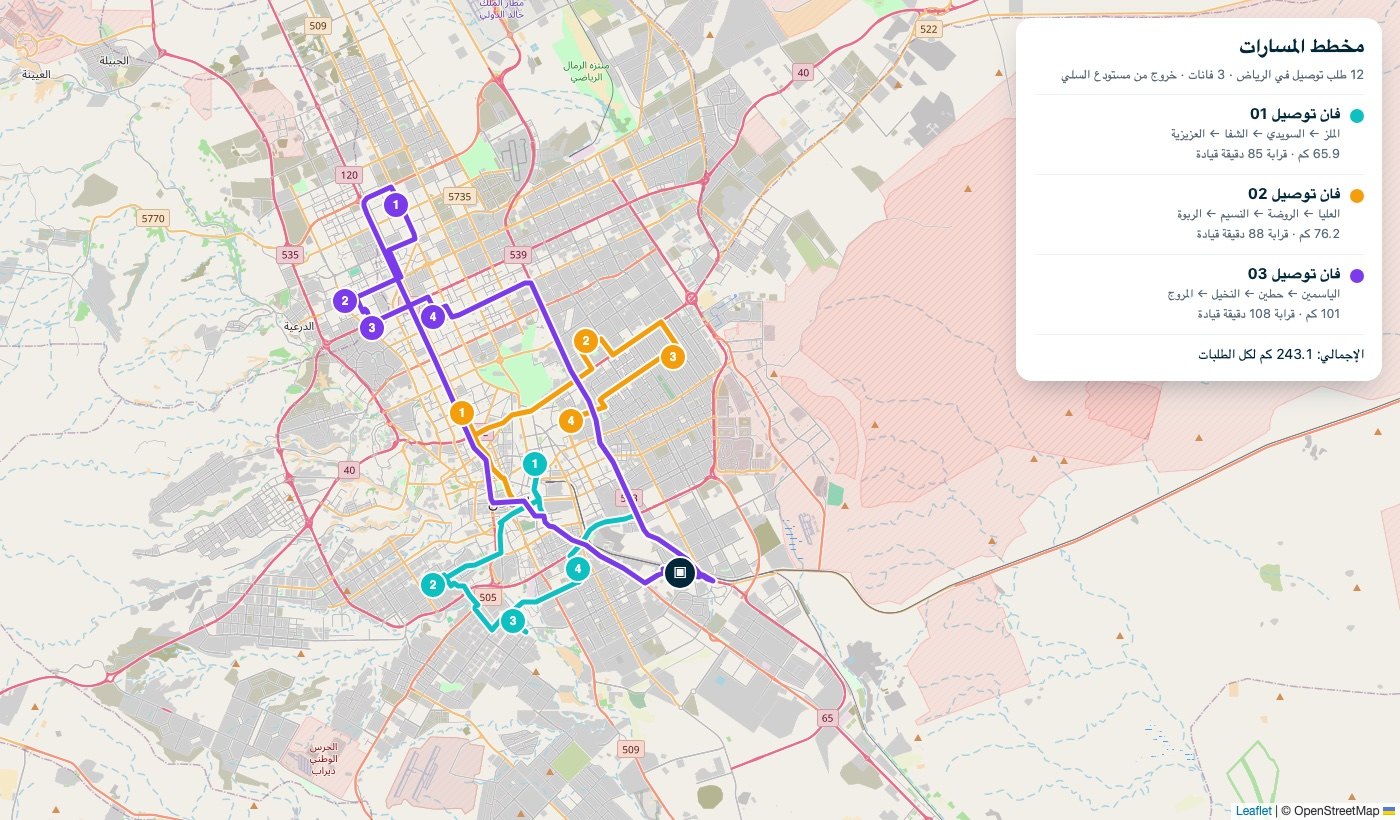
Ordered delivery routes
An illustrative example of orders split across three vehicles, with each vehicle’s stop order, distance, and driving time.
And when your fleet grows
The device you start with for one vehicle doesn’t limit you. You can add vehicles to the same account and track maintenance and expenses alongside the tracking data.
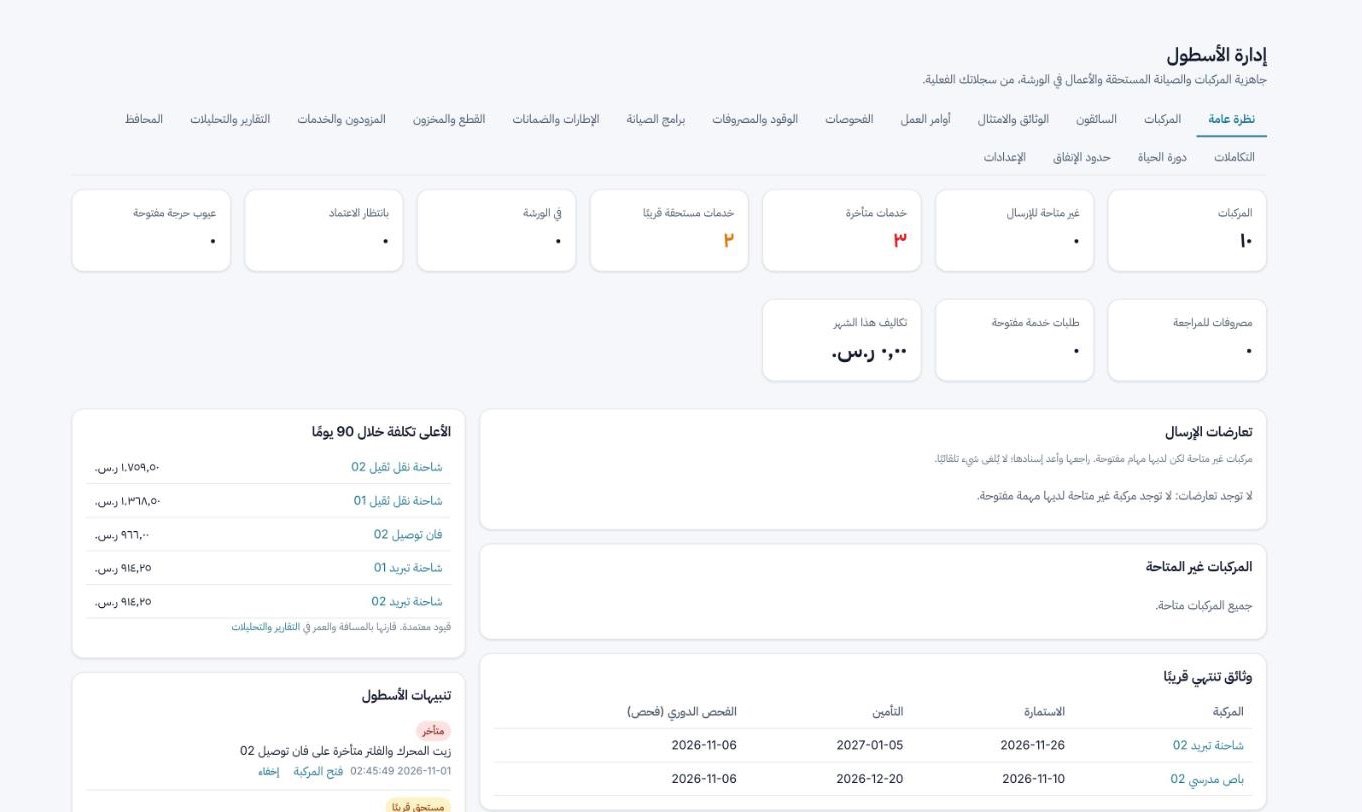
Maintenance and documents
Overdue and upcoming services for each vehicle, and documents that are close to expiring.
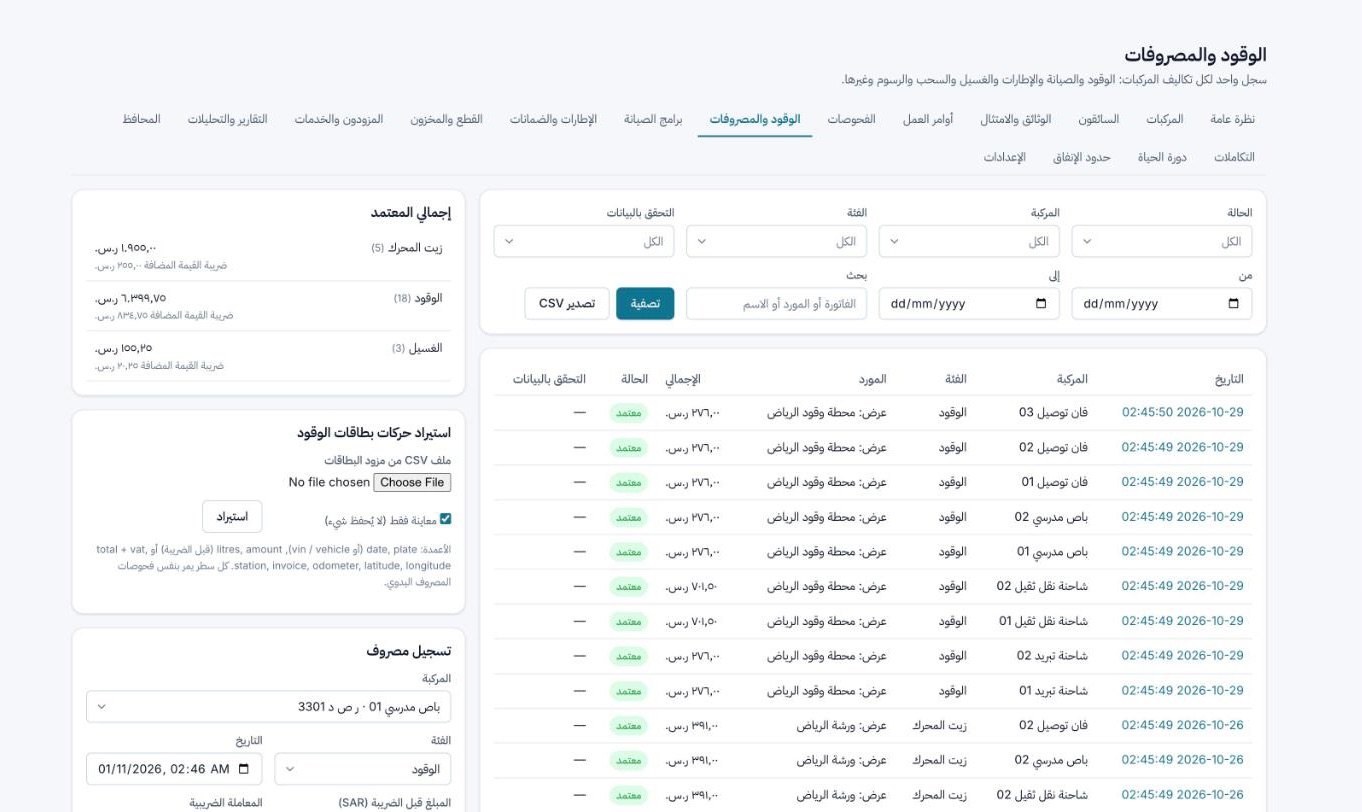
Fuel and expenses
One log for each vehicle’s costs, with the vendor, the total, and tax.
Maintenance, documents, and the cost of each vehicle
The same tracking data calculates maintenance dates and operating costs, so you don’t need separate spreadsheets.
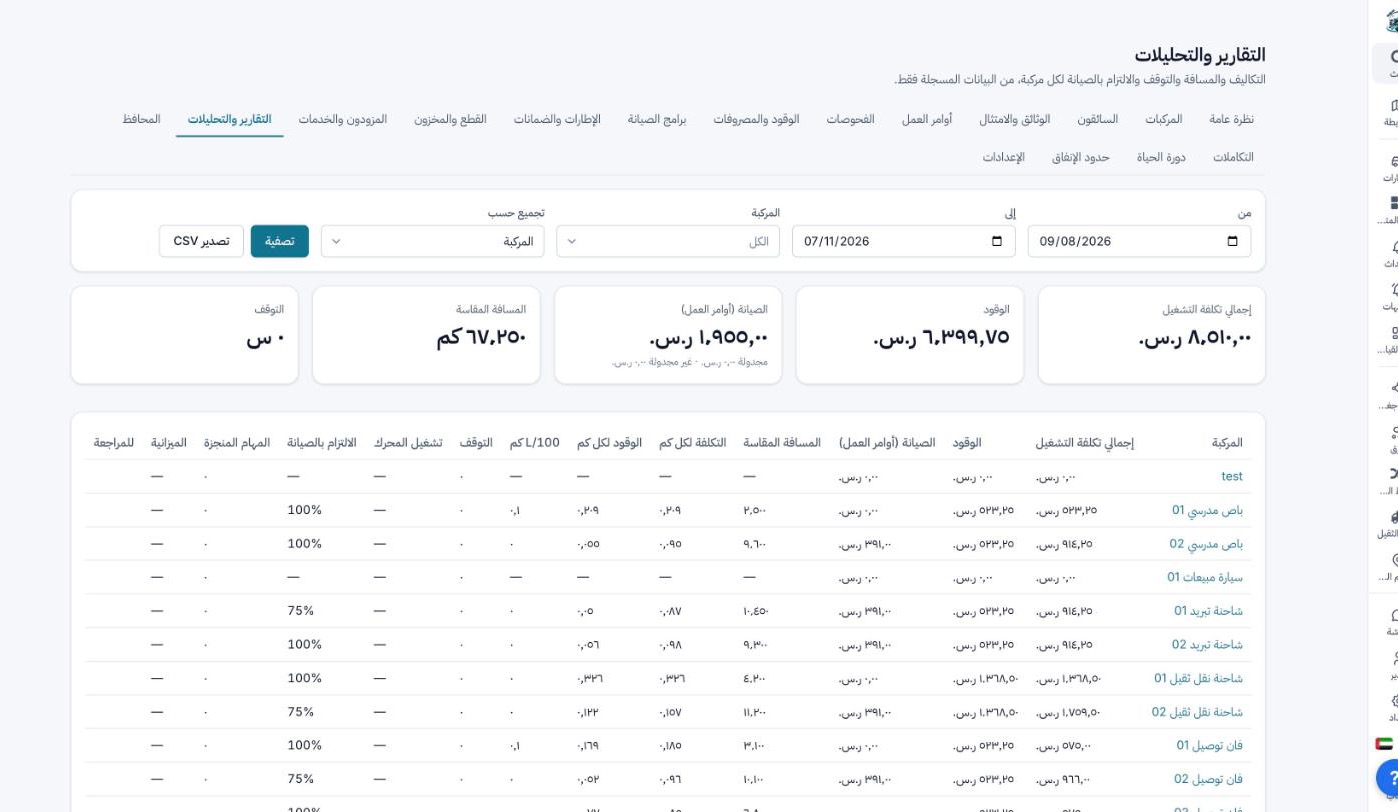
Cost reports per vehicle
For: The business owner and the accountant.
How it helps: Total operating, fuel, and maintenance costs and distance for each vehicle, the cost per kilometer, and the maintenance compliance rate, with CSV export.
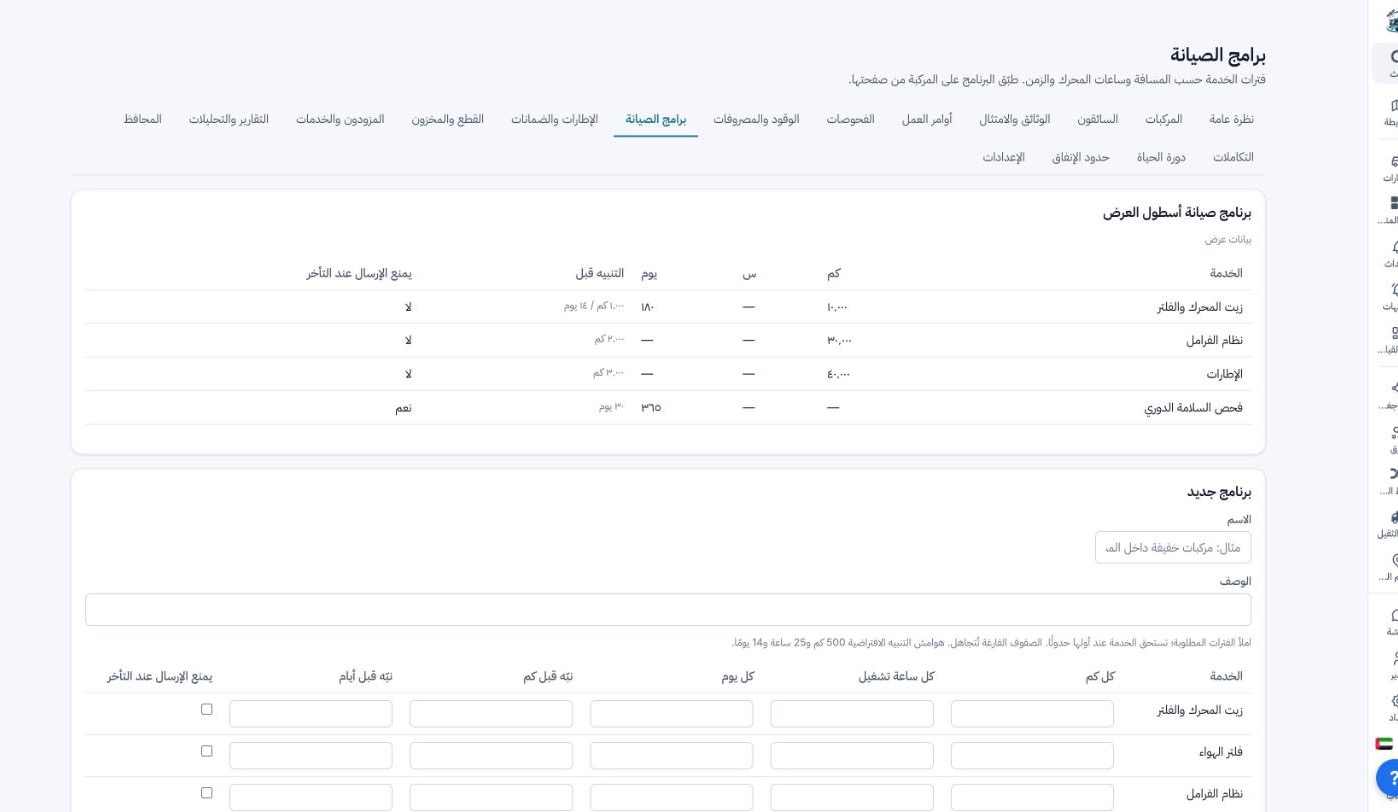
Maintenance programs
For: The maintenance manager.
How it helps: Set each service by kilometers, engine hours, or days, get an alert before it is due, and block dispatch of a vehicle that is overdue for maintenance.
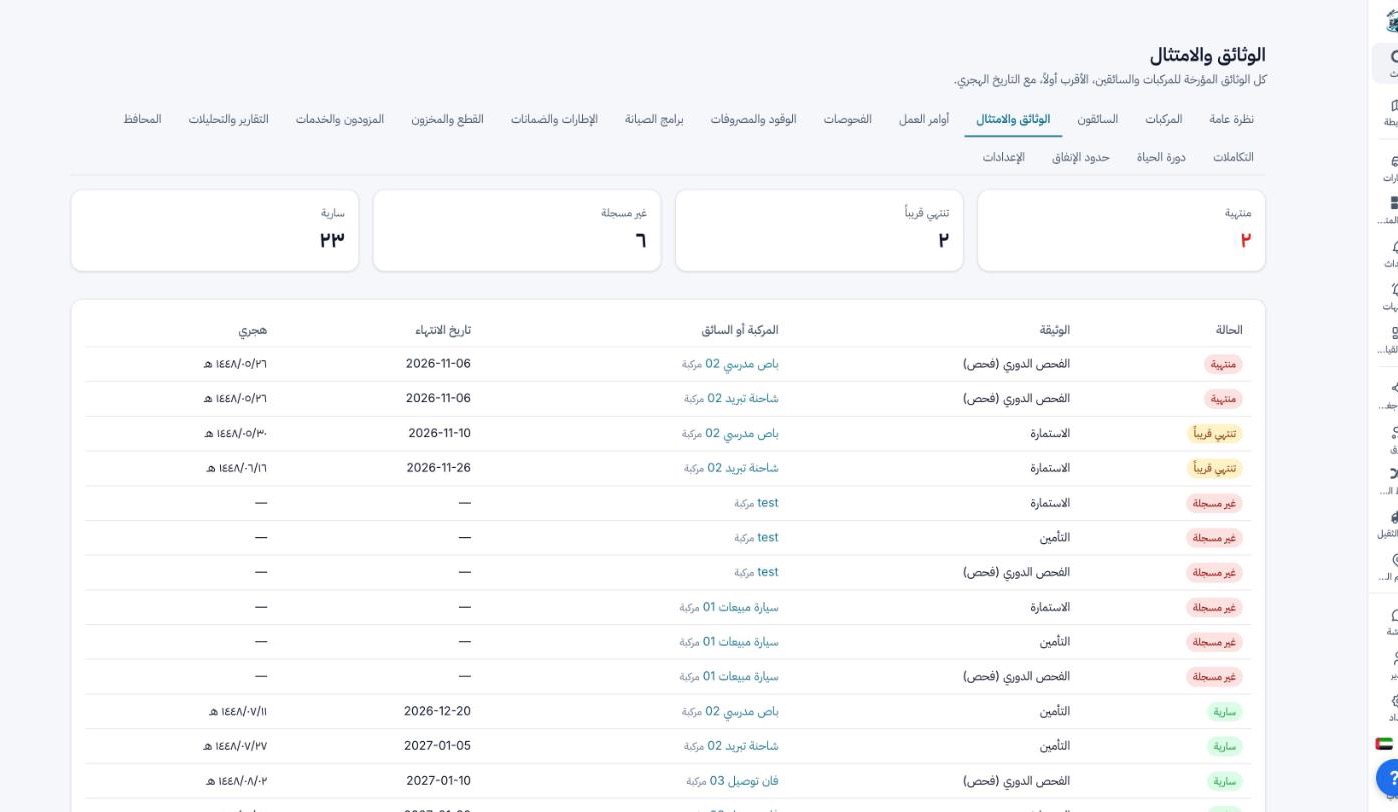
Documents and compliance
For: The admin team.
How it helps: Registration, insurance, and periodic inspection for each vehicle, with the soonest to expire listed first, along with the Hijri date.
Route optimization and heavy haul
Save distance and time before the vehicle moves.
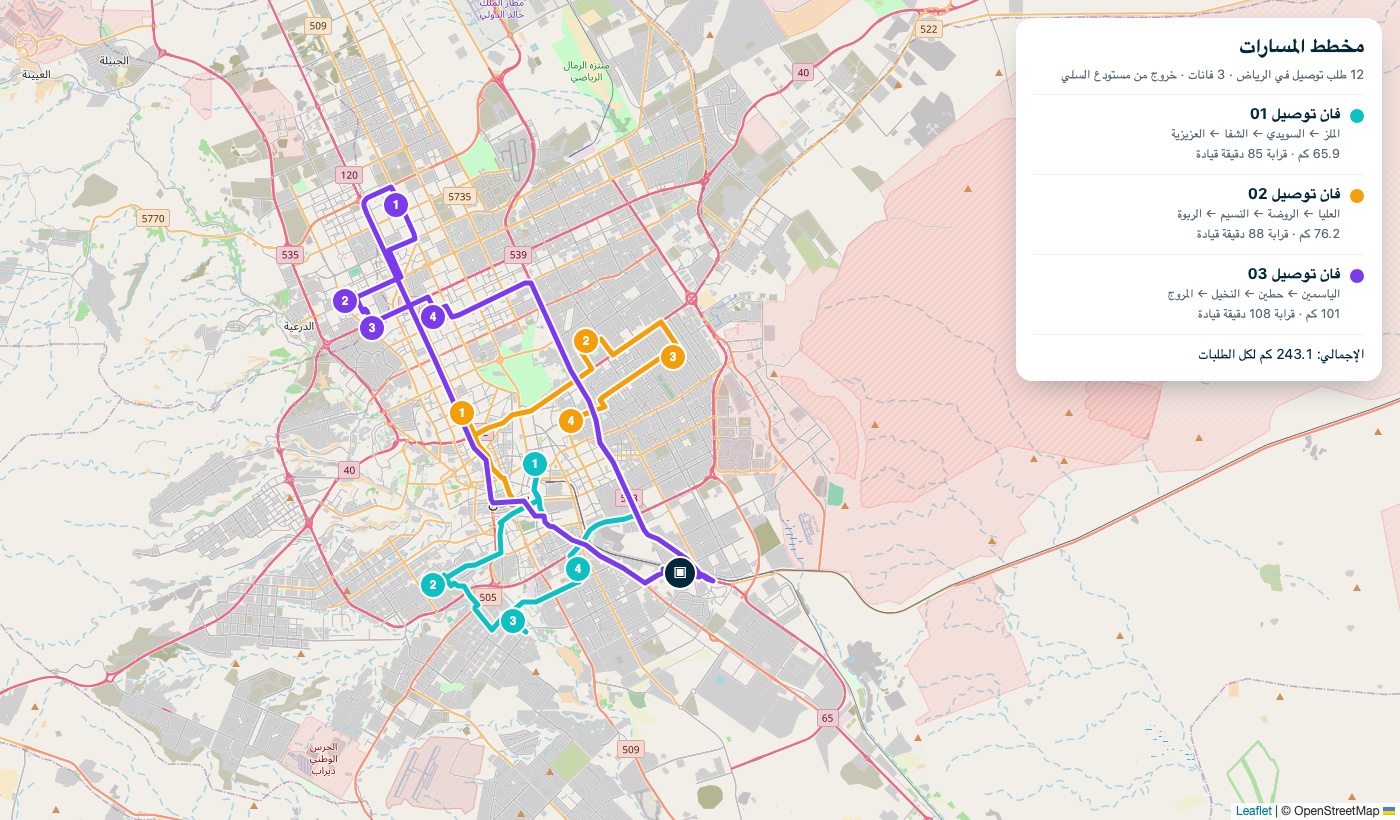
Route optimization
For: Dispatch planners and delivery companies.
How it helps: Assign orders to vehicles, and the system puts the stops in the shortest route on real roads, with distance and driving time.
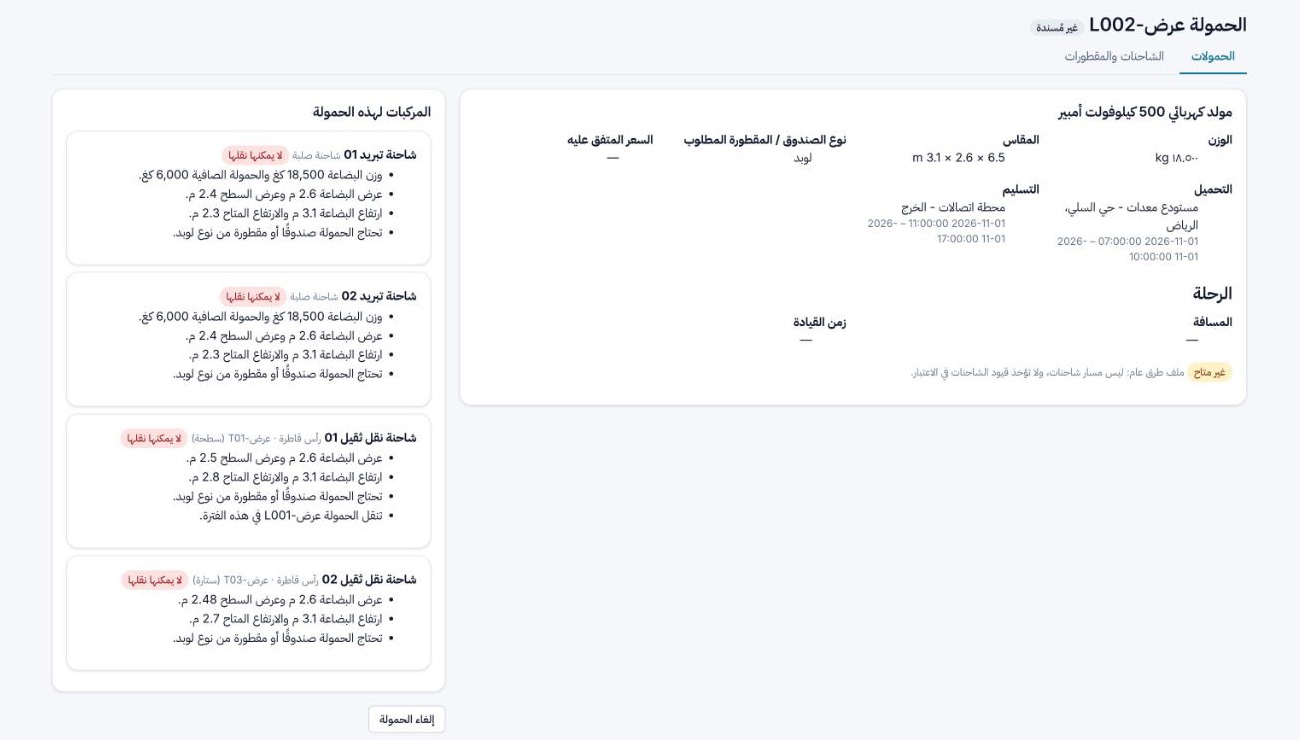
Heavy haul and load matching
For: Heavy haul companies.
How it helps: Enter the load with its weight and dimensions. The system checks every truck and trailer and explains why any is rejected, then you assign the load to a suitable one.
Business system: work orders, subscriptions, and calls
The platform is connected to the Odoo business system, so customer service, technicians, and accounting work from the same data. Names and amounts in the screenshots are hidden.
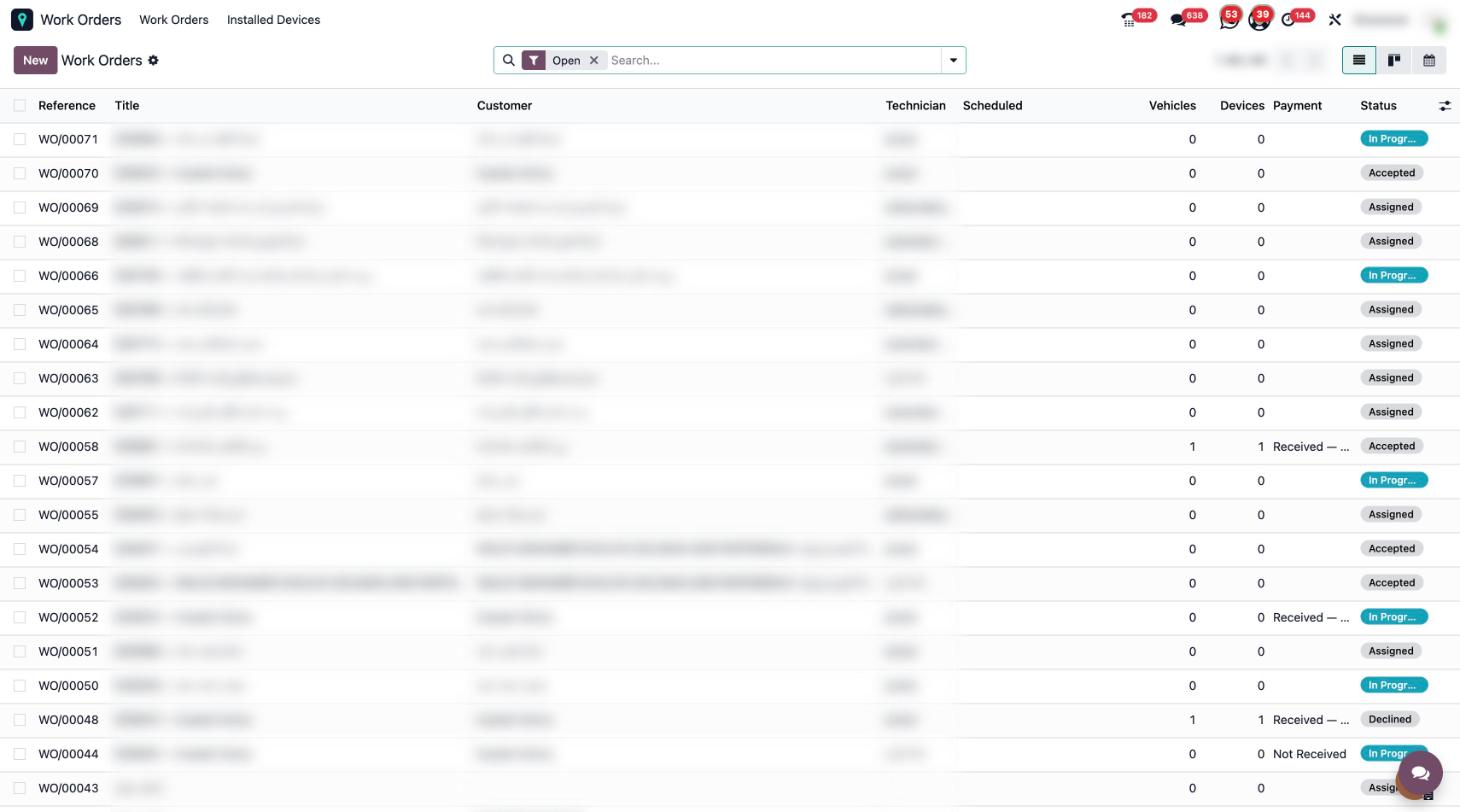
Work orders and technicians
For: The installation coordinator and technicians.
How it helps: Every installation or maintenance visit is a work order with a number, a technician, and a status, plus the number of vehicles and devices and the payment status.
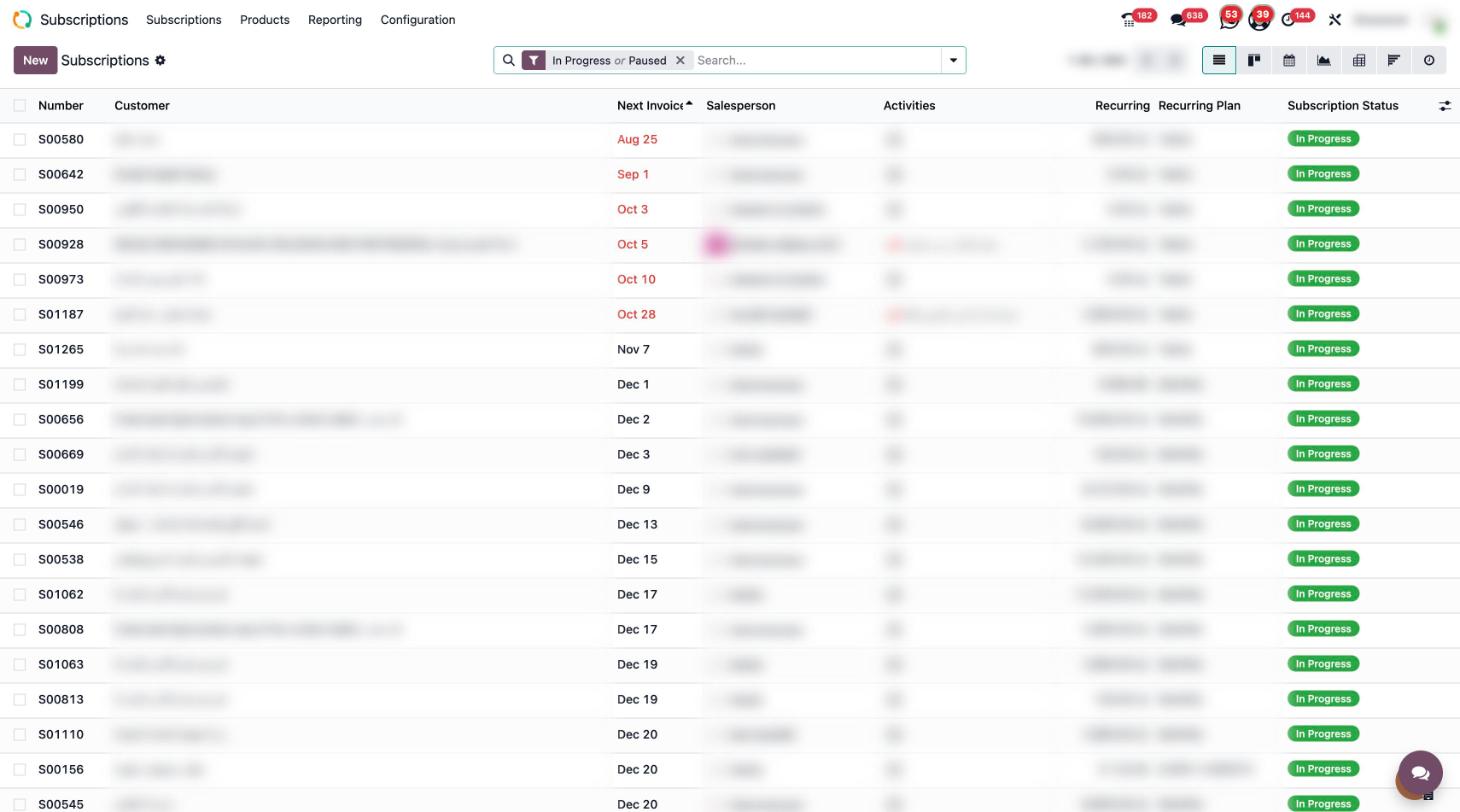
Subscriptions and renewals
For: The accountant and the sales rep.
How it helps: The next invoice date for each subscription, overdue ones in red, and a monthly or yearly renewal plan.
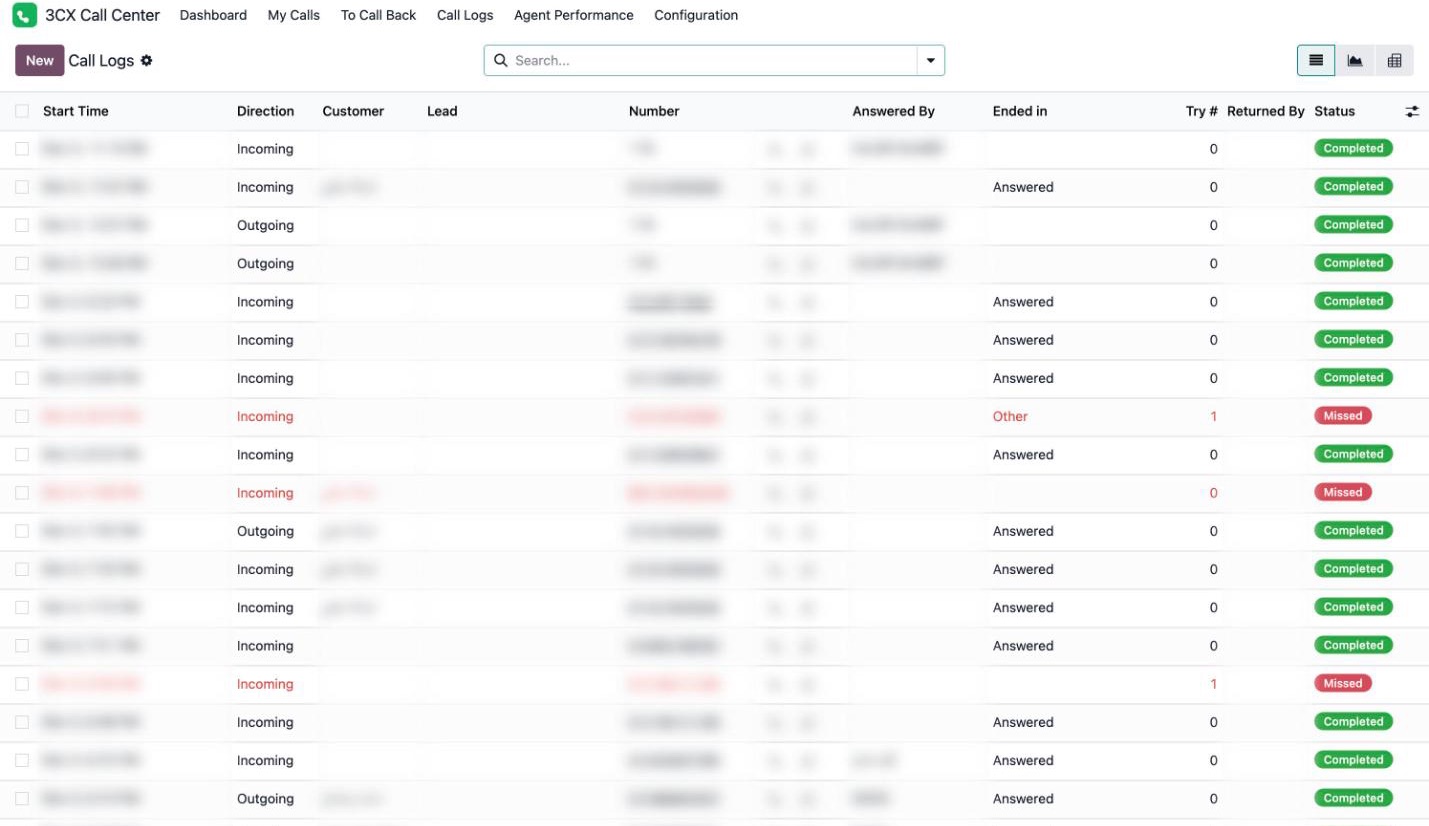
Call log
For: Customer service.
How it helps: Every incoming and outgoing call is logged and linked to the customer, so you know who called, when, and who answered.
How do the parts connect? A speeding example
The device sends
The tracker in the vehicle sends its location and speed every few seconds.
The platform logs
The speed went over the limit, so an alert appears on the map and is logged with the time and place.
You ask the assistant
Ask the AI assistant: What violations happened today? The answer comes from your fleet’s data.
Action and reporting
The event shows up in the reports. When needed, the follow-up is a work order for a technician or a note to the driver.
A secure platform: each user sees only what applies to them
Your fleet data belongs to your company alone. That is why the platform runs on clear accounts and permissions, and the AI assistant works within the limits of your account.
A separate account for each user
Each employee has their own login instead of a shared account. You know who is using the platform, and you can remove access for someone who leaves without changing everyone’s password.
Permissions by role
You choose which vehicles each user sees and what they can edit. A supervisor sees their branch, and management sees the whole fleet.
Our services →Commands need approval from an authorized user
The AI assistant does not run a command on a vehicle by itself. It prepares the command for someone with permission, and the command runs only after that person reviews and confirms it.
Encrypted connection
You sign in to the tracking platform over an encrypted HTTPS connection, on desktop and mobile.
Login page →Why do customers buy from FMS GPS?
The screenshots are from a demo fleet. The names and numbers in them are not customer data.
Prices up front
Most GPS trackers and sensors are listed with their prices in the shop, and you can order them directly. For anything without a listed price, we send you the price on request.
Browse devices →Free shipping
Device delivery is free within the USA.
A device for every use
OBD for quick installation in a personal car, Teltonika FMB920 for hidden installation, and FMC130 for trucks and sensors.
Sensors and cameras
Add a fuel, temperature, or weight sensor, or a camera, when you need it, instead of buying everything at the start.
More than tracking
Solutions for fleets, concrete mixers, cleaning fleets, fuel, and business systems.
All solutions →Direct WhatsApp
Before you buy, ask us on WhatsApp at 0544499515 which device is right for your vehicle.
Message us →Frequently asked questions
Are these screenshots from a customer account?
No. They are from a demo fleet, so we don’t show any customer’s data.
Do I need several devices to get started?
No. You can start with one device for one vehicle, then add more vehicles to the same account.
Are all these modules included in every subscription?
No. Live tracking, alerts, and reports are the core of every account. Maintenance, documents, heavy haul, and route optimization are turned on based on your company’s needs.
Does every employee see all the vehicles?
No. You choose which vehicles each user sees and what they can edit.
Does the AI assistant run commands without my permission?
No. It prepares the command for someone with permission, and the command does not run until you confirm it yourself.
How do I know which device is right for me?
Browse our device shop, or send us your vehicle type on WhatsApp.
Ready to choose your device?
See our GPS trackers and their prices, or contact us if you have a fleet.